LinkedIn Profile writes your whole LinkedIn profile from your kit (headline, About section, each job, your skills and your education) and tells you exactly where each piece goes on LinkedIn. You copy, paste and tick it off. It's part of Plus and up. The pictures show a sample account with made-up details.
Try LinkedIn Profile in the demoBefore you start
You need a career kit and a free LinkedIn account. Open LinkedIn Profile in the menu and press Write it; it takes about 20 seconds. LinkedIn is for people 16 and older; if you're younger, your profile waits here until you're ready.
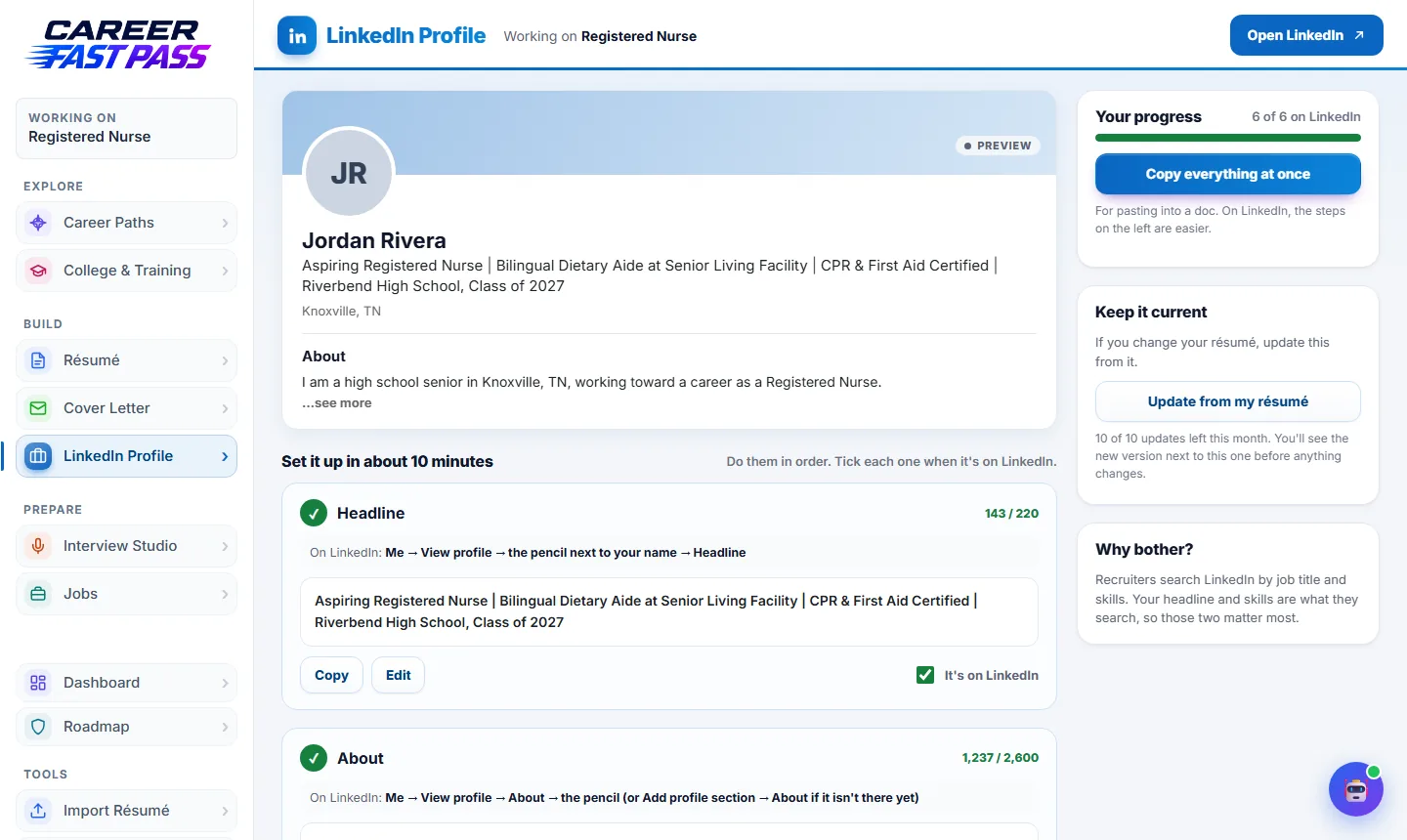
Set it up in about 10 minutes
Do the parts in order. Each one tells you where it goes on LinkedIn.
- Headline: press Copy, then on LinkedIn go to Me → View profile → the pencil next to your name, and paste it into Headline.
- About: copy it into the About section. The first two or three lines show before "see more", so they matter most.
- Experience: one job at a time. LinkedIn asks for the title, company and dates separately, so each has its own Copy, plus Copy description.
- Skills: add each skill and tick it as you go.
- Education: your school, what you studied and the dates.
- Finishing touches: a few two-minute extras.
After each part, press It's on LinkedIn. Your progress shows how many parts are done. Press Edit on any part to change the wording first. Copy everything at once copies it all, for pasting into a document.
No jobs yet? It says so instead of making any up. Add a volunteer role or project when you have one.
Keep it current
Changed your résumé? Press Update from my résumé. You see the new version next to the current one, and nothing changes until you press Keep the new version (or Discard it). Ticks start again only for the parts that changed, so you know what to update on LinkedIn.
What each plan includes
| Plan | LinkedIn Profile |
|---|---|
| Free and Starter | A preview of what it does. |
| Plus | Your full profile and 3 updates from your résumé a month. |
| Pro and School | 10 updates a month. |
Tips
- Headline and skills matter most. Recruiters search LinkedIn by job title and skills.
- Add a clear photo of your face on LinkedIn itself (it's one of the finishing touches). A plain background and good light is enough.
- Keep it the same as your résumé: same job titles and dates.
If something isn't working
- "Part of Plus."
- LinkedIn Profile needs Plus or above. See Pricing.
- "You've used this month's LinkedIn updates."
- They reset on the 1st. You can still edit and copy everything.
- Copy doesn't work.
- Some browsers block copying. Select the text and copy it by hand.