Interview Studio gets you ready for a specific interview. It tells you what the employer is looking for, the questions you'll likely face and where your own experience answers them, then lets you practice and get feedback. Preparing starts on the Starter plan; practice with feedback starts on Plus. The pictures show a sample account with made-up details.
Try Interview Studio in the demoBefore you start
Interview Studio builds everything from your career kit, so you need a kit first. Open Interview Studio in the menu. Your kit's own job is already set up as your first interview.
Add and switch interviews
- The box at the top shows which interview you're working on. Open it to switch, or press + Add an interview.
- For a new interview, enter the Job title, and if you know them, the Company, the Interview date and the Job description. Then press Build my briefing. It takes about 20 seconds.
- Edit target changes the details of the interview you're on. With a date, the top shows a countdown.
The badges at the top show how many new interviews and practice sessions you have left this month.
Step 1: Prepare
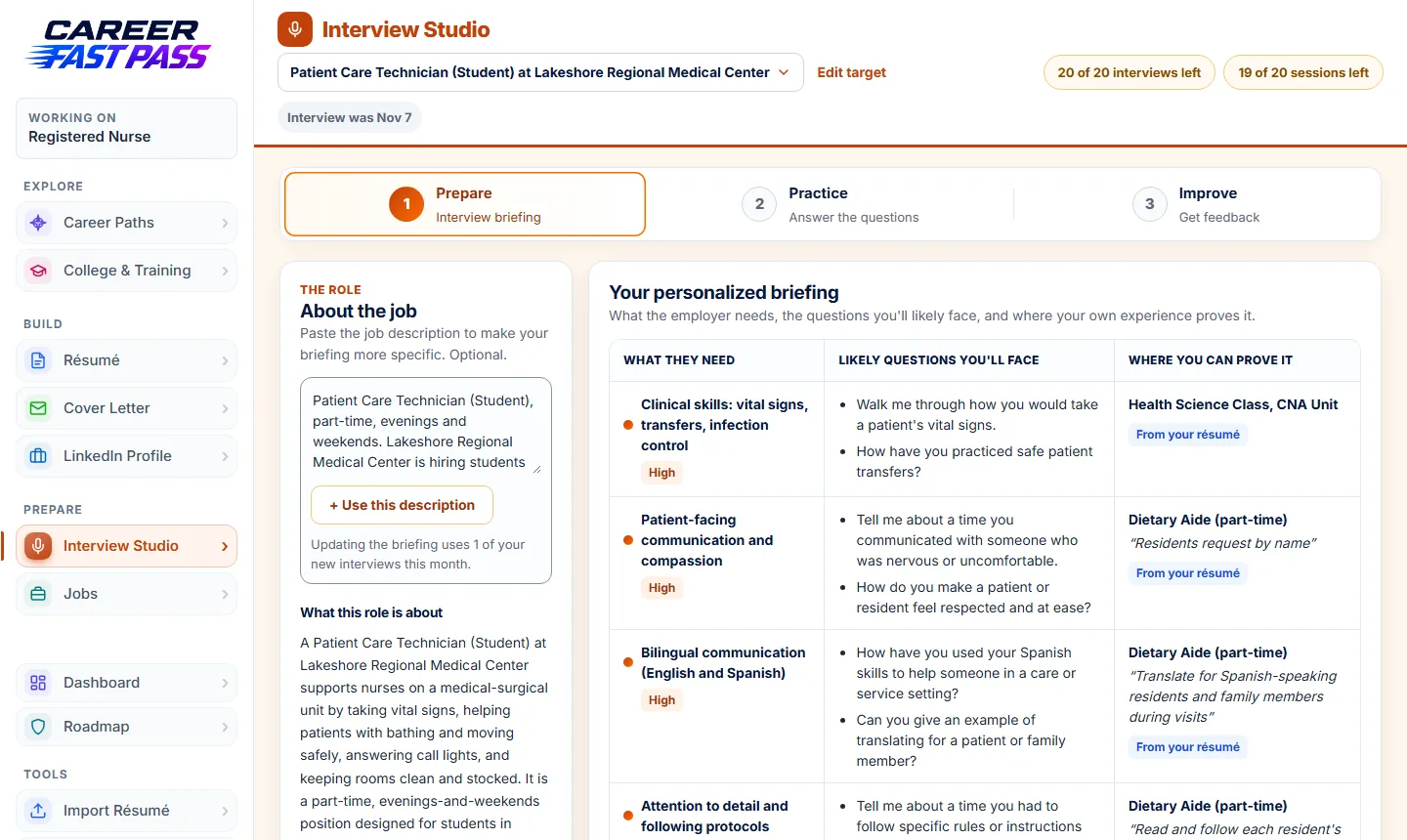
- About the job: paste the job description and press + Use this description for a more specific briefing. Updating the briefing uses 1 of your new interviews for the month.
- Your personalized briefing: each thing the employer needs, how important it is, the likely questions, and the line from your résumé or answers that proves it. Where your kit has no good example yet, it says so and helps you find one, instead of inventing it.
- Your answer starters: first drafts of your answers, built from school, work, teams, volunteering and everyday responsibilities. Edit them into your own words and fill in the [brackets] with what really happened. They save as you type.
- Questions to ask them: press Get my questions to ask. Good questions show curiosity and help you decide if the job fits you.
- Take it with you: Open cheat sheet gives you one printable page with your answers and questions to ask.
Step 2: Practice (Plus and up)
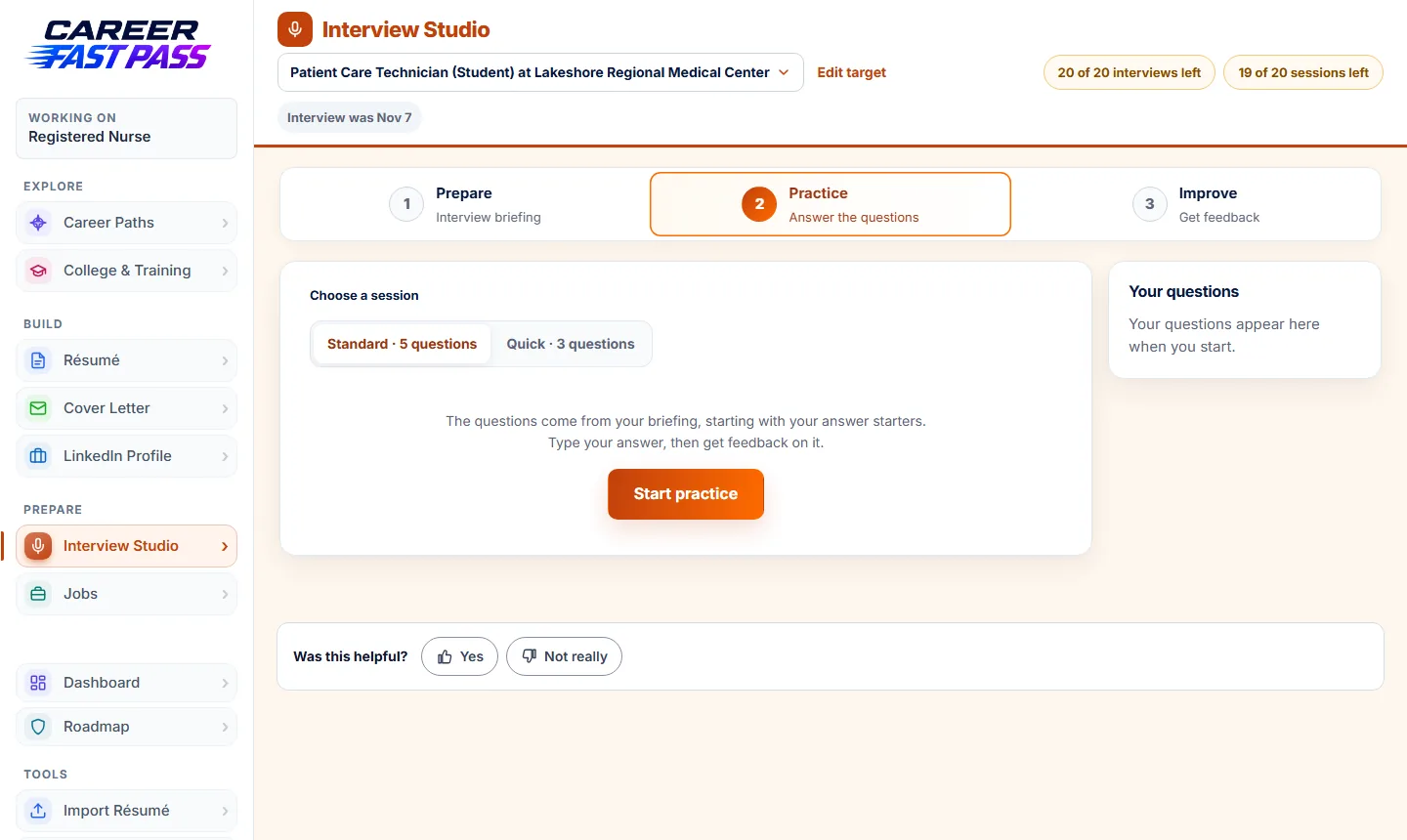
- Choose Standard (5 questions) or Quick (3 questions) and press Start practice. The questions come from your briefing.
- Say your answer out loud first, the way you would in the room. Then type it, or speak it with your keyboard's or computer's dictation (on Windows, press Windows + H).
- Press Review my answer. You get what you did well, what to work on, your next move and a stronger sample answer. You can try each question up to three times.
- Stuck? Need a hint? shows your answer starter for that question.
- When you're done (or short on time), press Finish and see my score. You can finish after one reviewed answer.
If you leave in the middle of a session, it's waiting for you when you come back.
Step 3: Improve
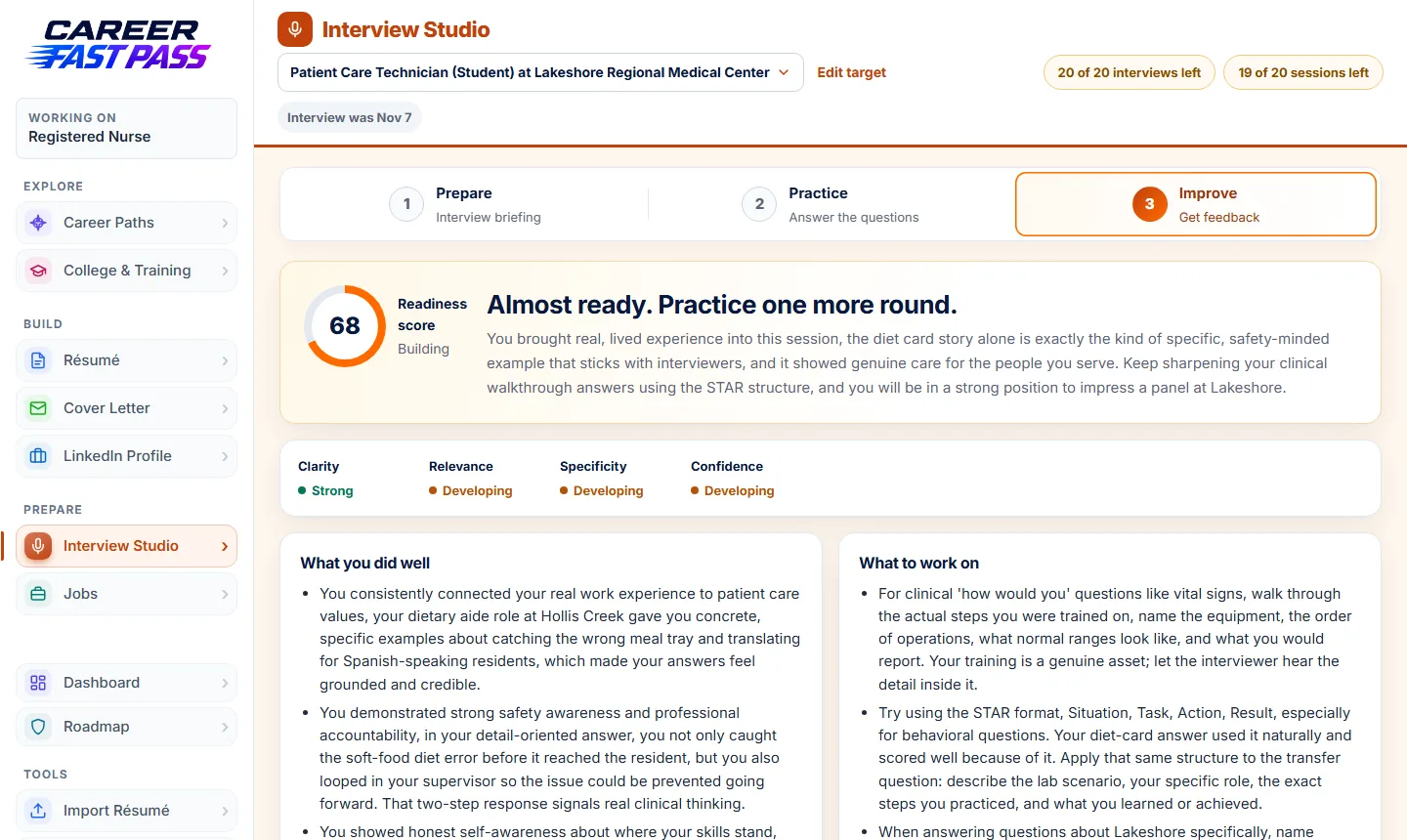
After a session you see a readiness score, how you did on clarity, relevance, specificity and confidence, what you did well and what to work on. Your past sessions stay here, so you can watch your score go up.
What each plan includes
| Plan | Interview Studio |
|---|---|
| Free | Not included. You see what it offers and can upgrade. |
| Starter | Briefing for your kit's job, plus 5 new or updated interviews a month, answer starters, questions to ask and the cheat sheet. |
| Plus | 10 interviews and 8 practice sessions with feedback a month. |
| Pro | 20 interviews and 20 practice sessions a month. |
| School | 20 interviews and 20 practice sessions a month. |
A practice session counts once its first answer is reviewed.
Joined through your school? Your counselor can see your practice scores.
Tips for the real interview
- Use a real story for "tell me about a time". Say what the situation was, what you did, and how it turned out.
- Practice out loud. Answers sound different spoken than written.
- Bring your questions from the cheat sheet, and ask at least one.
- Send a thank-you the day after. Jobs can remind you.
If something isn't working
- "Interview Studio is part of Starter."
- Preparing needs Starter or above; practice with feedback needs Plus or above. See Pricing.
- I can't add another interview.
- You've used this month's new interviews. They reset next month, and the interviews you already have keep working.
- The briefing doesn't fit my real experience.
- Your briefing uses what's in your kit. Update your résumé, or your answers (Edit my answers in the kit's menu on your Dashboard), then paste the job description and refresh the briefing.
- The Improve step is empty.
- It fills in after you practice. Answer a question in Practice first.