Give every student a real start on their career, and see their progress in one place.
Students build a résumé, cover letter and career plan on their own, even with no work experience. You get a dashboard of who's on track, who needs a nudge, and a summary email every Monday.
Already using Career Fast Pass? Counselor sign-in · Sharing this with a colleague? One-page summary to print
What every student gets
With the School plan, every student has the full set of tools, the same as our top paid plan.
Try every student tool without an account: open the live demo.
What counselors get
A private counselor portal for your school. These pictures show a sample school with made-up students. Try the sample portal yourself; nothing in it is saved.
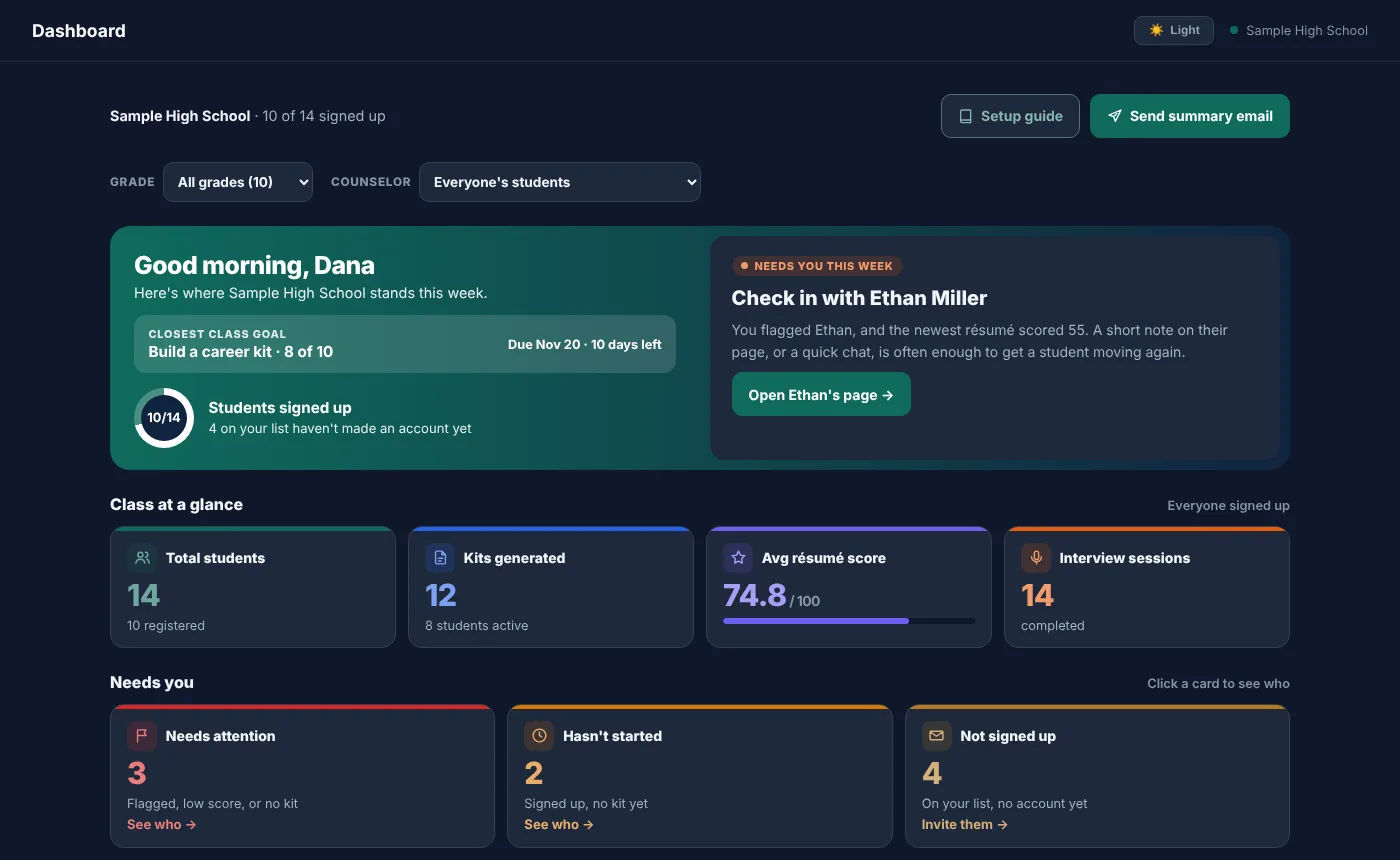
See your whole class at a glance
How many students have started, the class's average résumé score, interview practice, the student who needs you most this week, and your class goals.
- Filter every page by grade, or by counselor
- "Needs attention" and "Hasn't started" lists
- A summary email every Monday
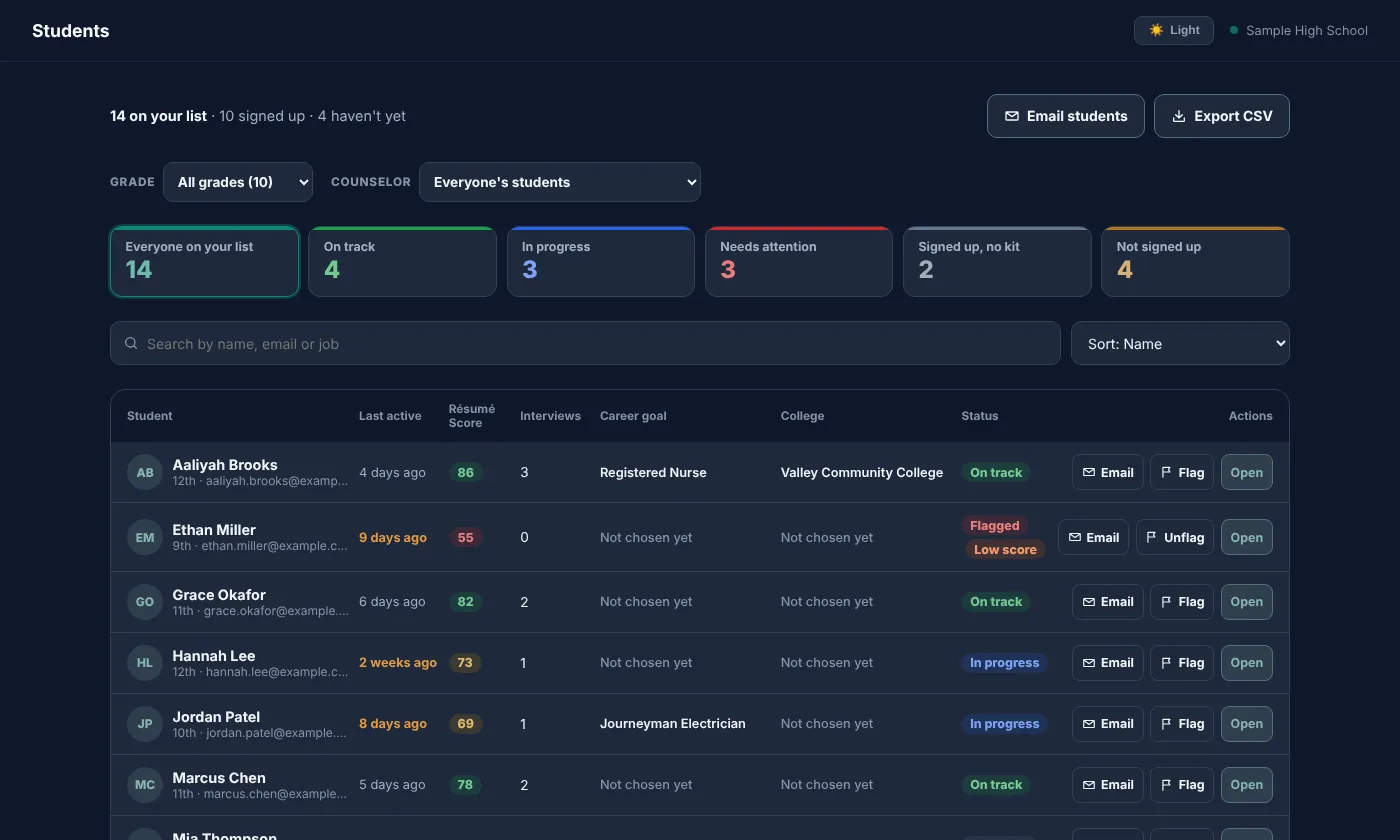
Every student, one row
Kits, résumé score, interview practice, roadmap progress and the job each student is aiming for, with search, filters and sorting.
- Open any student's kits, roadmap and interview scores
- Private counselor notes on each student
- Email one student, or a whole group: everyone in 12th grade who hasn't built a kit, for example
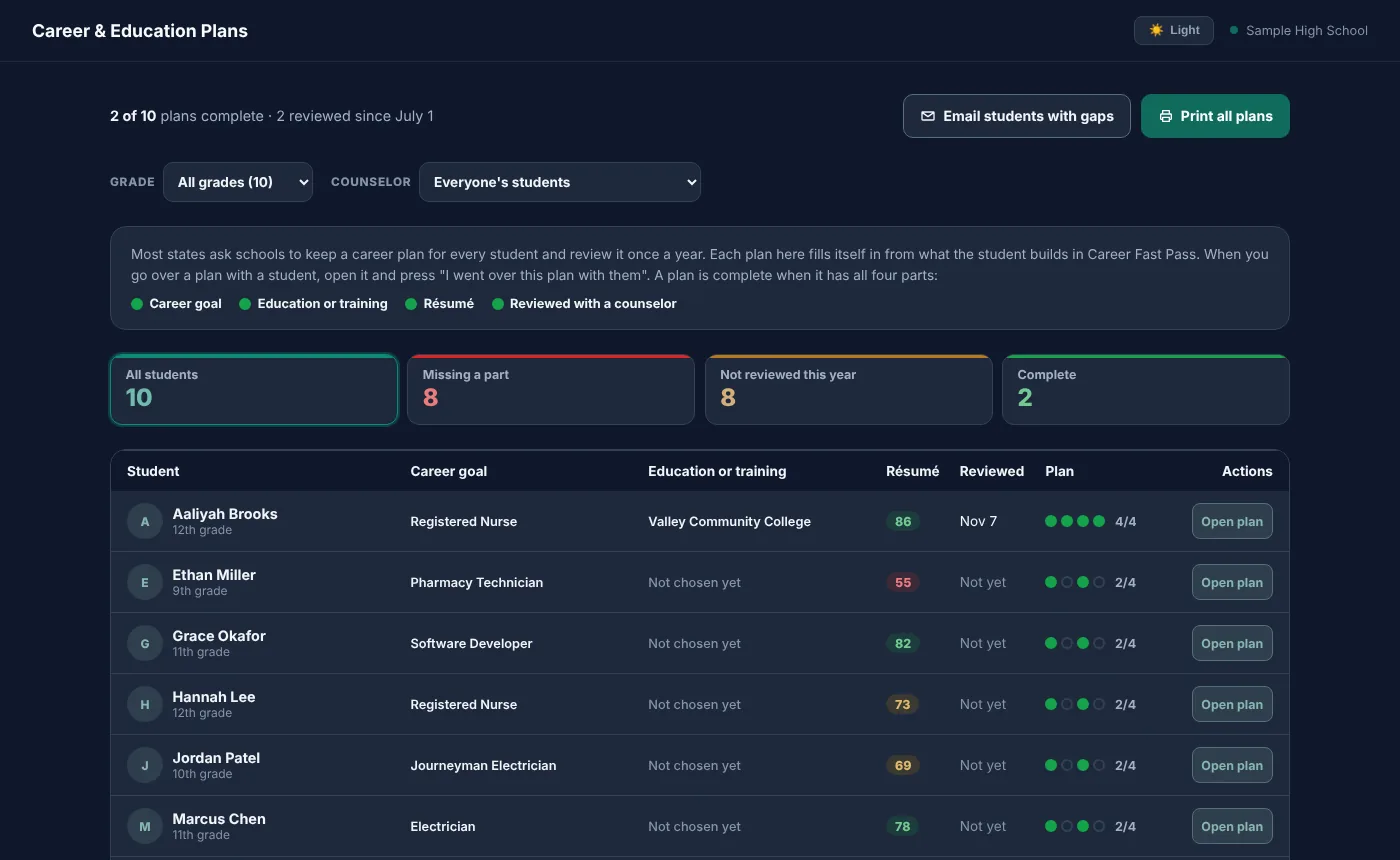
A career plan for every student, filled in by them
Most states ask schools to keep a career plan for each student and go over it once a year. Career Fast Pass builds it from what students do: their career goal, their college or training choice, their résumé, their interests and their next steps.
- See at a glance whose plan is missing a part
- Print one student's plan, or the whole grade's, with signature lines
- Note when you went over a plan with a student
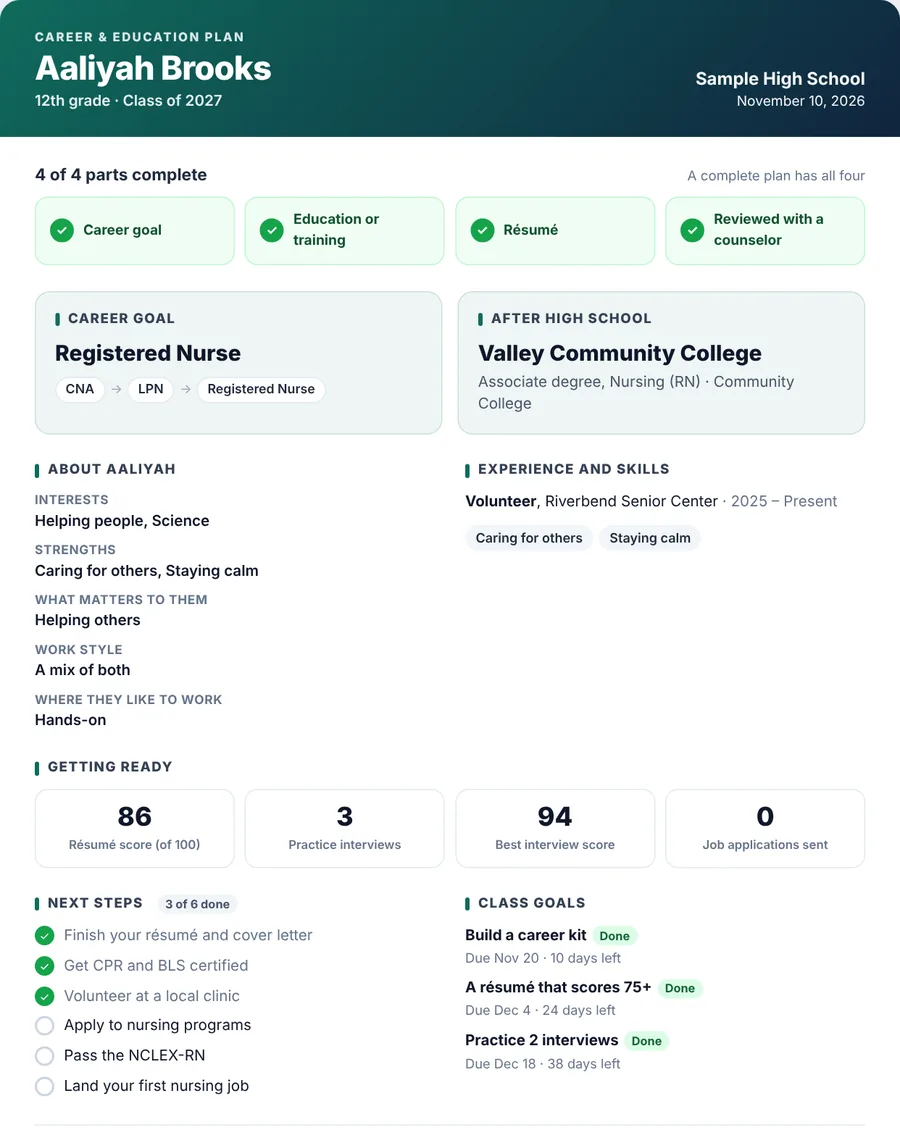
Plans that are ready for a meeting
Each plan fits on a page in your school's colors: the student's goal and route, where they're headed after high school, what they're good at, how ready they are, and what's next. Bring it to a student meeting or a parent conference, or keep it on file.
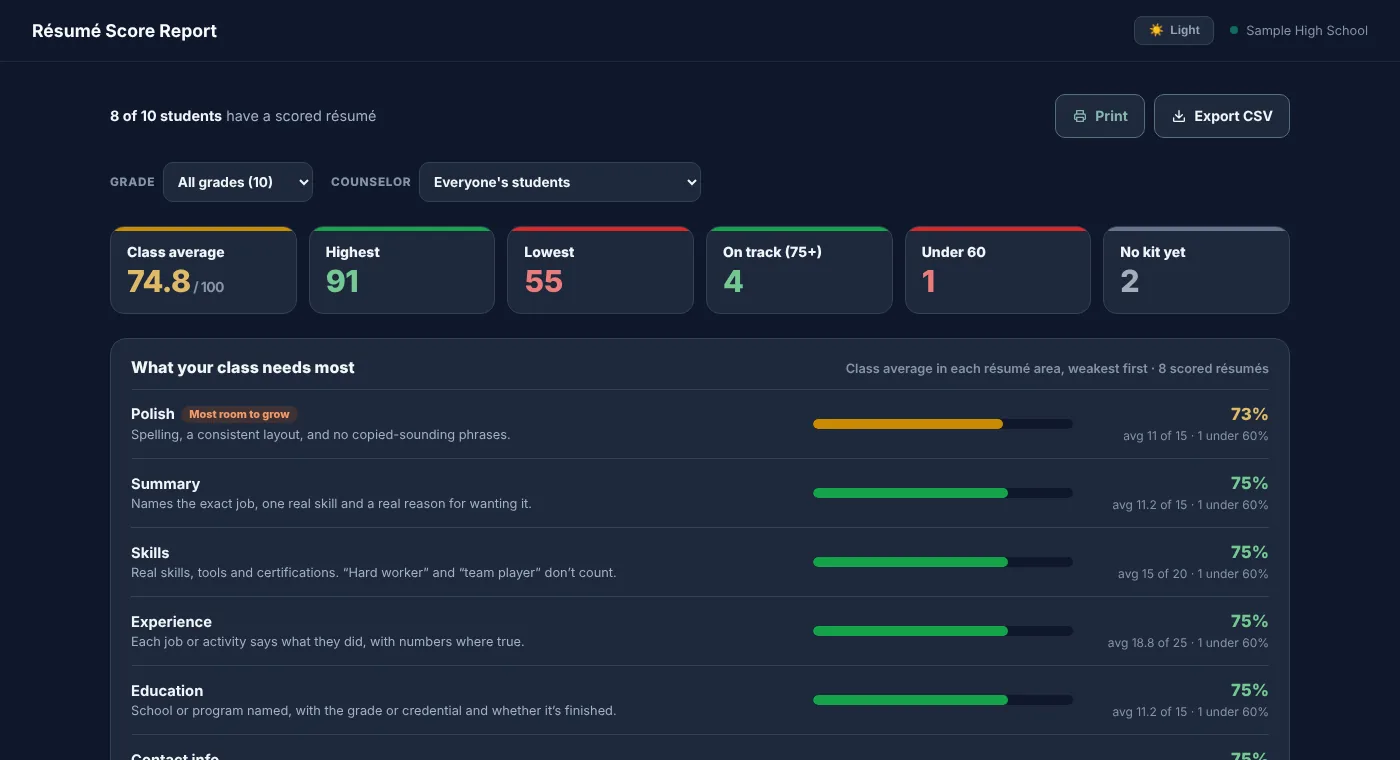
Reports you can hand to your principal
A résumé score report for the class, a one-page printable class report, and spreadsheet downloads of your students and your email list, for the whole school or one grade.
- A data log shows who downloaded, printed or emailed student information, and when
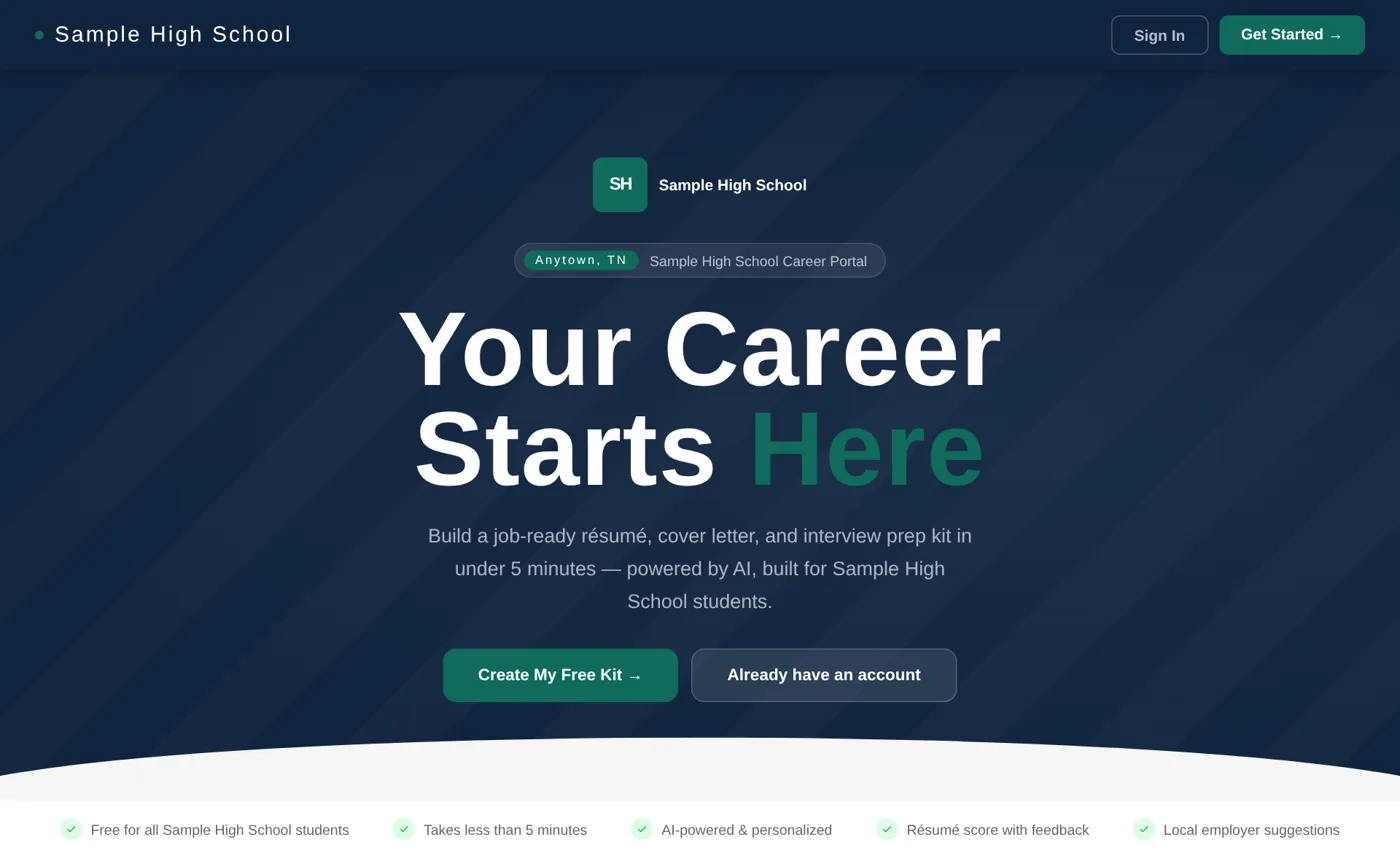
Your school's own sign-up page
Students join from your school's page, in your colors with your logo. Only the email addresses you add can sign up, so your portal holds only your students.
How it works
Student privacy, and what it costs
Student privacy
- Counselors see only their own school's students.
- We never sell, rent or share student information for marketing, and we use no advertising networks or tracking pixels.
- Students under 13 can't sign up.
- Student information is never used to train AI.
- A student, parent or school can ask us to remove a student's account and data.
- We'll sign your district's student data privacy agreement.
Read Privacy for schools: what counselors see, every outside service we use, and how deletion works.
What it costs
Any student can start on the Free plan, at no cost, with or without a school.
The School plan gives every student at your school every tool, plus the counselor portal. Pricing depends on the size of your school; tell us about yours and we'll send it.
Questions schools ask
Do students need work experience?
No. It's built for students with none yet. School projects, clubs, sports, volunteering and responsibilities at home all count, and the résumé is written for the job they want.
What can counselors see?
For each student at your school: their kits, résumé score, grade, career goal, college or training choice, roadmap progress, interview practice scores and recent activity. Notes you write are private to counselors at your school. Optional personal answers, like disability or income, are never shown. More on student privacy.
Does it help with our state's career plan requirement?
Yes. Each student's Career & Education Plan fills in from their own work: career goal, college or training choice, résumé, interests and next steps. You can print them, and record when you went over a plan with a student. Tell us your state's requirement and we'll show you how it lines up.
Will you sign our data privacy agreement?
Yes. We'll review and sign your district's student data privacy agreement, including the National Data Privacy Agreement (NDPA). Email support@careerfastpass.com.
Our counselors split students by grade or last name. Does that work?
Yes. Give each counselor their grades or last names, and their pages open on their own students. Anyone can still switch to the whole school.
Can students use it on their phones?
Yes. Every page works on a phone, and students can download their résumé and cover letter as PDFs or Word files.
Can students sign in with their school Google accounts?
Yes. If your Google Workspace blocks third-party apps for students under 18, your IT team needs one setting first. The guide for district IT has the steps and the web addresses to allow. Students can always join with their school email and a password instead.
Who can join our portal?
Only the student email addresses you add to your list. You can add or remove them any time from the counselor portal.
Does it replace our counseling program?
No. It gives each student a résumé, real career information and next steps to bring to you, so your time with them goes further.
Bring Career Fast Pass to your school
Tell us a little about your school and we'll get back to you with next steps and pricing. You can also email support@careerfastpass.com.