Your Dashboard is home base: where you are, what to do next, and every kit you've made. Your Account page holds your details, plan, emails and privacy settings. The pictures show a sample account with made-up details.
Try the Dashboard in the demoYour Dashboard
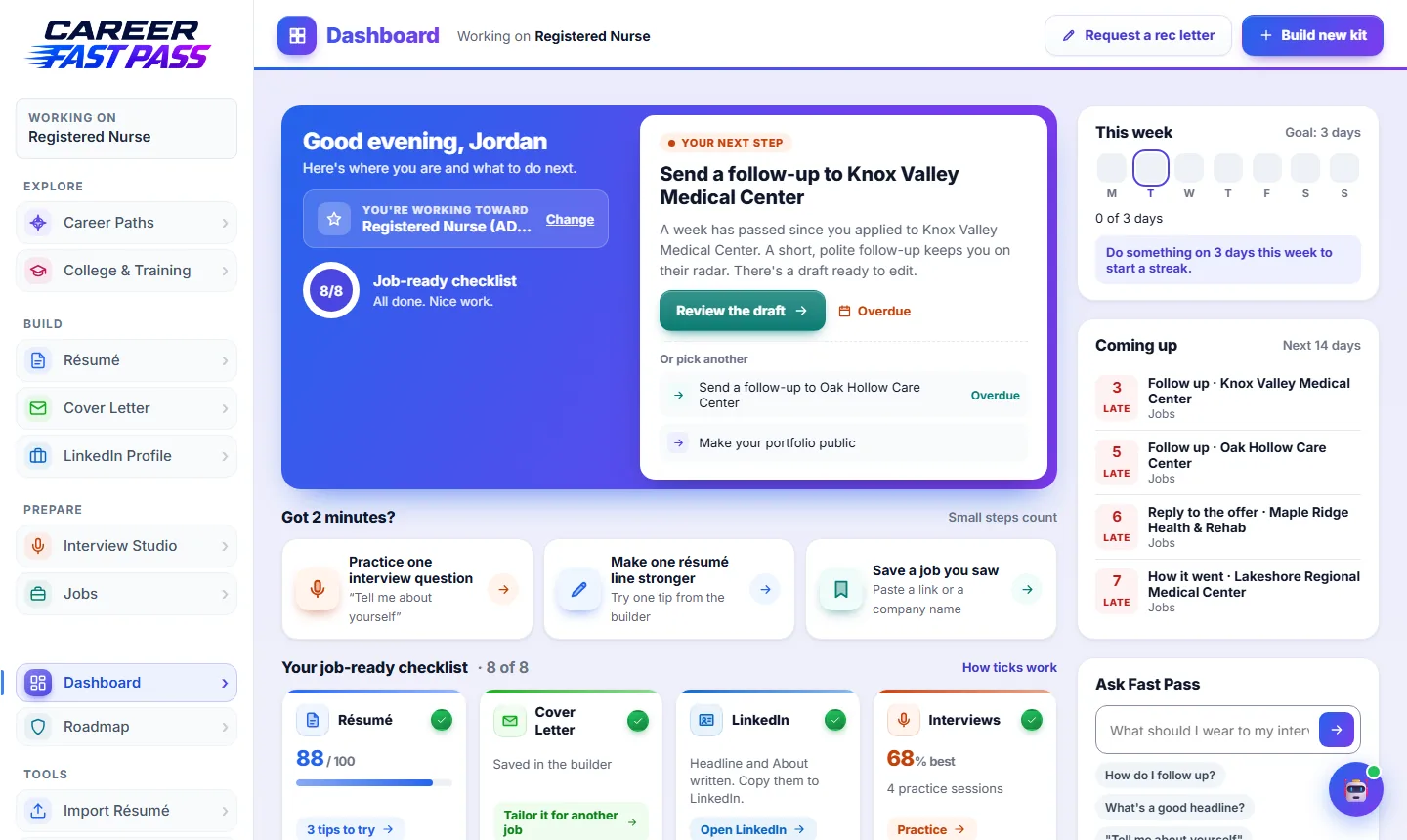
- You're working toward: the goal for your current kit. Change picks another.
- Your next step: the most useful thing to do now, like sending a follow-up that's due today. Or pick another shows other options.
- Got 2 minutes? Small steps: practice one interview question, make one résumé line stronger, or save a job you saw.
- Your job-ready checklist: one card per tool. A card gets its tick when, for example, your résumé scores 70 or more, you've saved your cover letter, or you've marked one job as applied. How ticks work lists them all.
- Recent wins, Your roadmap, Coming up (interviews and follow-ups in the next 14 days) and This week, a simple streak you set.
- Your plan: what's left this month and when it resets.
- Your portfolio and Ask Fast Pass, a quick help chat.
- Request a rec letter (top of the page): fill in who you're asking, how they know you, what it's for and what to highlight, and press Generate Email. You get a polite email asking for the letter, ready to Copy Email and send yourself. It uses 1 AI boost.
Joined through your school? You may also see your school's goals. If your school added your email and you signed up on your own, a Join banner lets you link your account to your school.
Your kits
Under Your kits, each kit shows its job and résumé score. Open works on it, and + New kit starts another. The ⋯ menu on a kit has Download full kit (PDF), Edit my answers and Delete kit. The kit you're Working on is the one every tool shows; switch it from the top of the menu.
Find your way around
On a computer, the menu is on the left: Explore (Career Paths, College & Training), Build (Résumé, Cover Letter, LinkedIn Profile), Prepare (Interview Studio, Jobs), then Dashboard, Roadmap and Tools. On a phone, the bar at the bottom holds your tools (swipe it sideways for more), and More has everything else, including Account.
Your Account page
- Name, email and sign-in: edit your name, change your email (we confirm the new one) or your password.
- Plan: your plan, what's left this month, Manage subscription and Cancel plan. See Plans, limits and billing.
- Emails: turn job heads-ups on or off. Account and billing emails always come. Tips emails have a stop link in every email.
- Privacy: your portfolio setting, Download a copy of all your data, and the Privacy Policy.
- Delete account: at the bottom. See Your account and your data.
If something isn't working
- A tool shows the wrong kit.
- Check Working on at the top of the menu and pick the kit you want.
- "Confirm your email address."
- Press Resend link and check your spam folder. See Not getting our emails?